
Monitoring#
Note
This page is under active development.
Overview#
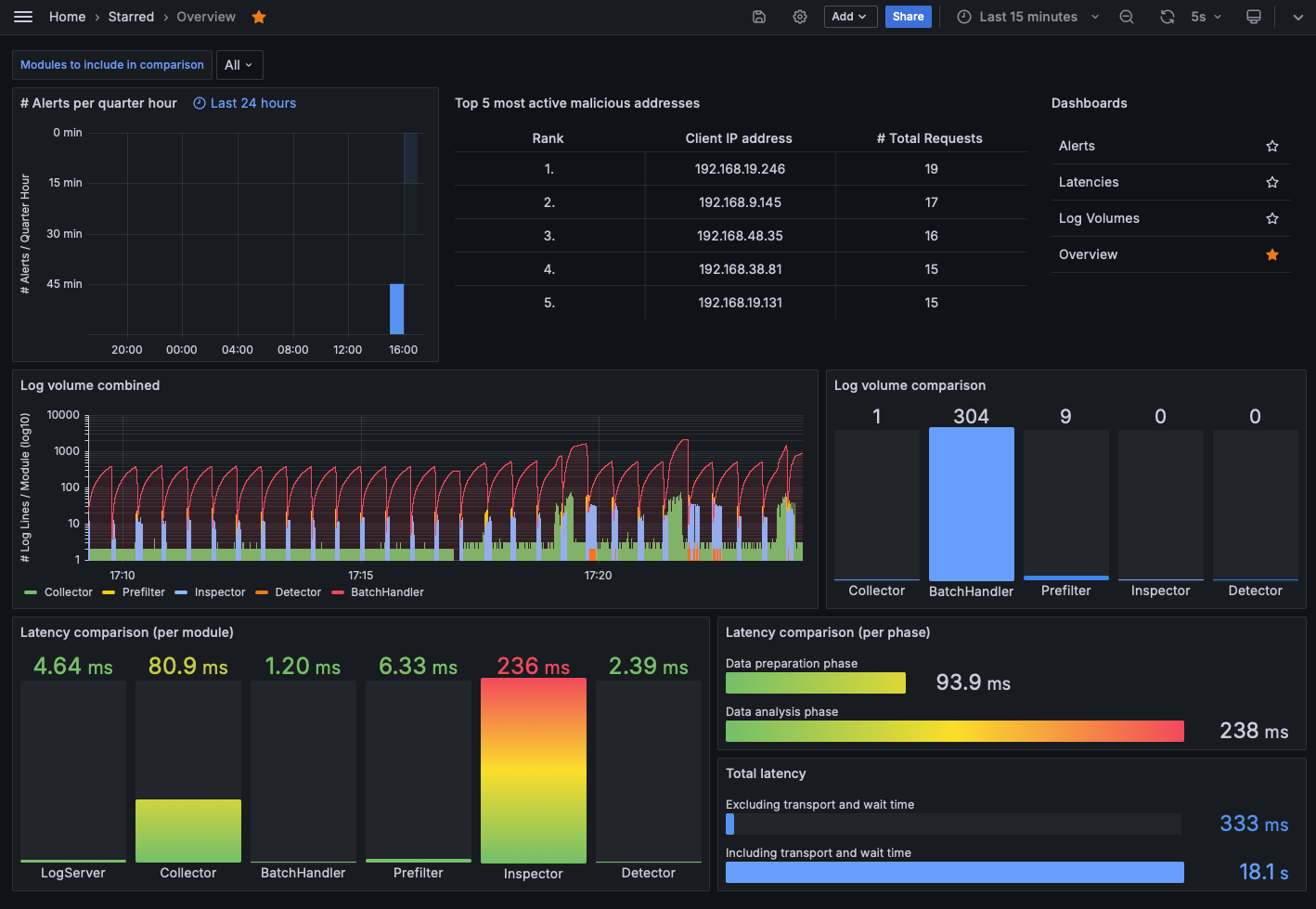
The software includes a monitoring functionality that stores relevant information in a database (ClickHouse). The collected data is then visualized using multiple Grafana dashboard views.
Setup#
Normal mode#
Both, ClickHouse and Grafana can be executed as their own Docker container. All needed containers are started when executing:
$ HOST_IP=127.0.0.1 docker compose -f docker/docker-compose.yml up
All modules send their monitoring-relevant information to Kafka, from which it is then collected by the
Monitoring Agent module. This module checks their validity and resumes by storing the values in ClickHouse. By the
default configuration defined in docker-compose.yml, Grafana automatically loads the dashboard views and fills
them with the data in ClickHouse. The dashboard views can then be observed on localhost:3000 (by default).
Storage retention#
HAMSTRING treats Kafka as transient transport. New monitoring topics default to one partition with a 15-minute / 64 MiB
retention target, whichever limit is reached first. Pipeline topics use three partitions and larger class-specific
limits from config.yaml. Kafka can delete only closed log segments, so the Compose files also roll a segment
every five minutes (or after 16 MiB); this makes time-based retention work for low-volume topics. Broker fallback
values can be overridden at startup, for example:
KAFKA_LOG_RETENTION_HOURS=2 KAFKA_LOG_RETENTION_BYTES=134217728 \\
  HOST_IP=127.0.0.1 docker compose -f docker/docker-compose.yml --profile prod up
KAFKA_LOG_RETENTION_BYTES is a limit per partition replica, rather than a per-broker or per-volume limit.
Increasing the partition count, replication factor, or this value increases the possible disk usage accordingly.
ClickHouse keeps detailed monitoring events for six hours and per-message latency state for one day (raw alerts are retained for 30 days). It then preserves compact monitoring history at progressively lower resolution:
one-minute aggregates for seven days;
fifteen-minute aggregates for 30 days;
hourly aggregates for 90 days.
Alert counts and fill-level states are aggregated as rows arrive. Completed latency values are snapshotted by ClickHouse refreshable materialized views; their historical rows retain the sample count and minimum, average, p50, p95, p99, and maximum latency without retaining message, logline, or batch identifiers. Grafana uses unified history views, so selecting an older time range automatically uses the appropriate resolution. Recent latency data remains exact, while latency older than one day is represented by its bucketed p50 value in existing dashboard panels.
TTL deletion happens in background merges; the supplied ClickHouse configuration checks for TTL work every five minutes and stops ClickHouse allocations while 5 GiB remains free on its data filesystem. ClickHouse server logs are rotated at 100 MiB with three retained files. Increasing a raw-table TTL has a much larger storage impact than increasing an aggregate-table TTL. See Storage-constrained Swarm deployments for the complete disk budget, hard-isolation options, and the limits of this free-space reserve.
The retention schema is reconciled when the monitoring agent starts. New aggregate tables are backfilled once from
whatever source data is still available; data already removed by an older TTL cannot be recovered. Retention changes
reclaim data as Kafka closes segments and ClickHouse performs TTL merges, and therefore do not remove a stopped
stack’s volume files immediately. If this is a disposable local environment and its historical data is not needed,
stop the stack and remove its volumes with docker compose -f docker/docker-compose.yml down -v before starting it
again. Do not remove production volumes as a retention operation.
Datatest mode#
For users interested in testing their own machine learning models used by the detection algorithm in the Data Analysis stage, the monitoring functionality can be started in the datatest mode:
$ HOST_IP=127.0.0.1 docker compose --profile datatest -f docker-compose.yml -f ./docker-compose/prod/docker-compose.datatest.yml up
Grafana then shows one more dashboard view, Datatests, that shows the confusion matrix for a testing dataset.
Make sure that you set the profile to datatest and use the additional docker-compose file
docker-compose/prod/docker-compose.datatest.yml.
Warning
This feature is in an early development stage!